League settings
Control roster visibility, scoring, and the weekly digest.
For league adminsLeague settings are the switches that shape how your league works for everyone in it. They live on one page and take effect right away.
Where to find them
Open Settings from the League menu.
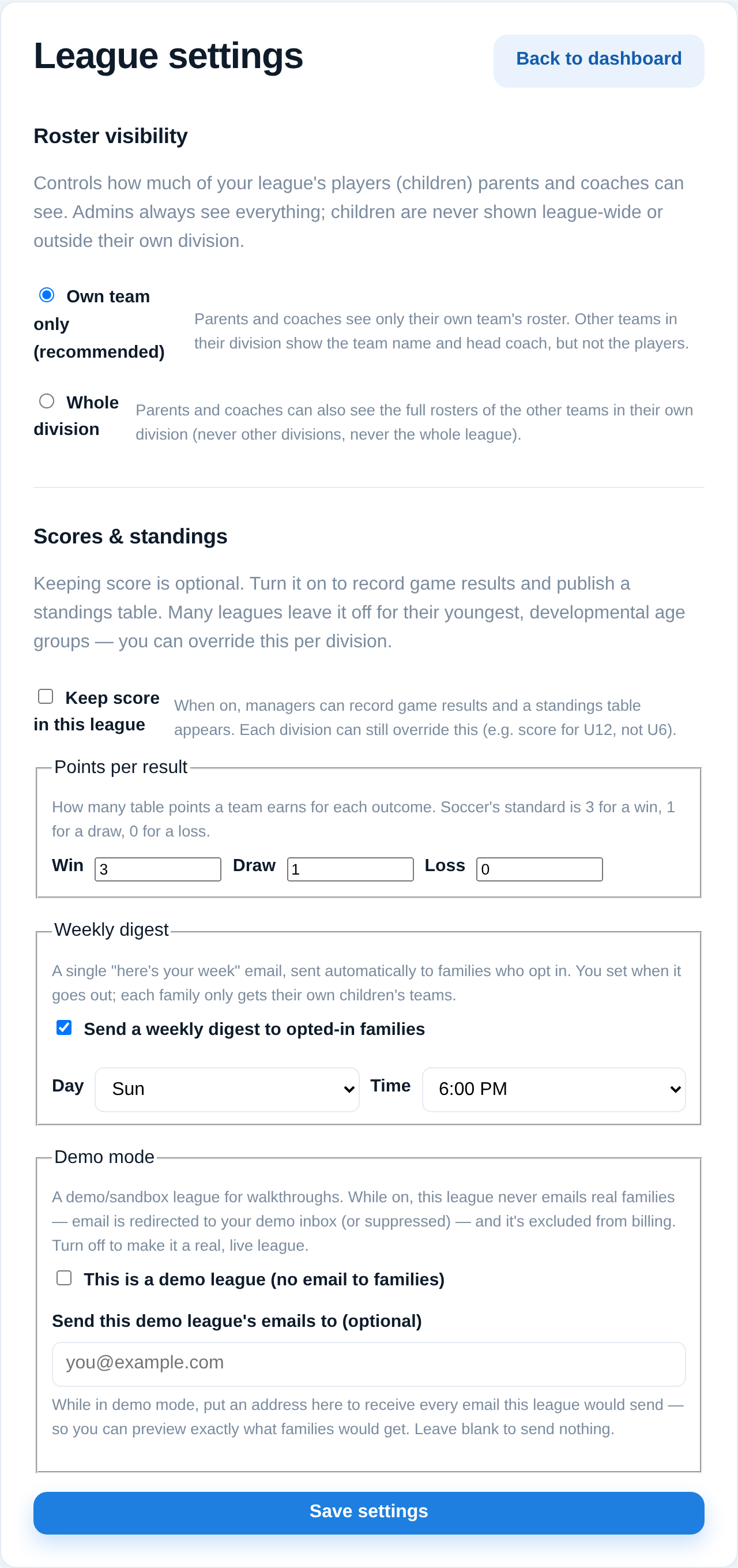
What you can set
- Roster visibility — whether families see only their own team's roster, or everyone in their division. Pick based on your league's privacy comfort.
- Scoring — turn score-keeping on, and set how many points a win, draw, and loss are worth. This drives your standings.
- Weekly digest — a once-a-week summary email; choose the day and time it goes out, or turn it off.
Good to know
- Changes apply immediately across the league, so it's worth a moment's thought on roster visibility in particular.
- Turning scoring off hides standings; turning it back on brings them right back.
- There's also a demo mode here for safely previewing the app with sample data — see your onboarding notes if you want to use it.